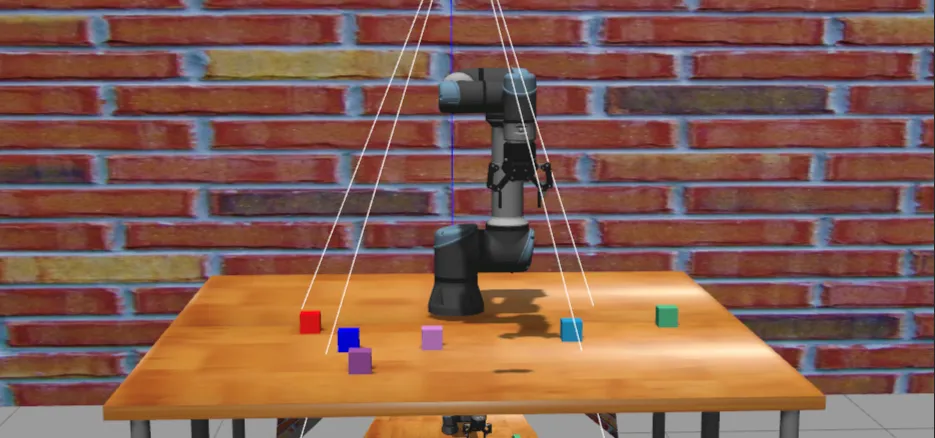
方案概述#
本方案通过 xacro 参数 + launch 文件 的方式,实现了无需修改 URDF 文件即可实时调整相机 6D 位姿(位置 + 姿态)的便捷调试方法。
核心文件结构#
ur5e_gripper_moveit_config/
├── urdf/
│   ├── single_ur5e_gripper_handeye.urdf.xacro    # 宏定义(定义相机)
│   └── ur5e_gripper_handeye.urdf.xacro            # 实例文件(声明参数)
└── launch/
└── view_handeye_robot_adjustable.launch.py # 可调参数 launch 文件实现步骤#
步骤 1: 在宏定义中添加相机位姿参数#
文件: single_ur5e_gripper_handeye.urdf.xacro
<!-- 宏定义添加相机位姿参数 -->
<xacro:macro name="ur5e_gripper_handeye"
             params="name prefix parent *origin initial_positions_file
                     camera_x_offset camera_y_offset camera_z_offset
                     camera_roll camera_pitch camera_yaw">

    <!-- ... 机械臂和夹爪定义 ... -->

    <!-- 手眼相机挂载(使用参数) -->
    <xacro:sensor_d435 parent="${prefix}tool0"
                       name="${prefix}hand_eye_camera"
                       use_nominal_extrinsics="true"
                       add_plug="false"
                       use_mesh="true"
                       topics_ns="${prefix}hand_eye_camera">
        <origin xyz="${camera_x_offset} ${camera_y_offset} ${camera_z_offset}"
                 rpy="${camera_roll} ${camera_pitch} ${camera_yaw}"/>
    </xacro:sensor_d435>
</xacro:macro>步骤 2: 在实例文件中声明 xacro 参数#
文件: ur5e_gripper_handeye.urdf.xacro
<robot xmlns:xacro="http://www.ros.org/wiki/xacro" name="ur5e_gripper_handeye">

    <!-- 声明 xacro 参数(设置默认值) -->
    <xacro:arg name="camera_x_offset" default="0.0"/>
    <xacro:arg name="camera_y_offset" default="-0.04"/>
    <xacro:arg name="camera_z_offset" default="-0.03"/>
    <xacro:arg name="camera_roll" default="0.0"/>
    <xacro:arg name="camera_pitch" default="-1.5708"/>
    <xacro:arg name="camera_yaw" default="1.5708"/>

    <!-- 调用宏并传递参数 -->
    <xacro:ur5e_gripper_handeye name="ur" prefix="" parent="world"
                                initial_positions_file="$(arg initial_positions_file)"
                                camera_x_offset="$(arg camera_x_offset)"
                                camera_y_offset="$(arg camera_y_offset)"
                                camera_z_offset="$(arg camera_z_offset)"
                                camera_roll="$(arg camera_roll)"
                                camera_pitch="$(arg camera_pitch)"
                                camera_yaw="$(arg camera_yaw)">
        <origin xyz="0 0 0" rpy="0 0 0" />
    </xacro:ur5e_gripper_handeye>
</robot>步骤 3: 创建可调参数的 launch 文件#
文件: view_handeye_robot_adjustable.launch.py
def generate_launch_description():
    # 声明相机位姿参数
    args = []

    # 位置参数
    args.append(DeclareLaunchArgument(
        name="camera_x_offset",
        default_value="0.0",
        description="Camera X offset from tool0 (meters)"
    ))
    args.append(DeclareLaunchArgument(
        name="camera_y_offset",
        default_value="-0.04",
        description="Camera Y offset from tool0 (meters)"
    ))
    args.append(DeclareLaunchArgument(
        name="camera_z_offset",
        default_value="-0.03",
        description="Camera Z offset from tool0 (meters)"
    ))

    # 姿态参数
    args.append(DeclareLaunchArgument(
        name="camera_roll",
        default_value="0.0",
        description="Camera roll rotation (radians)"
    ))
    args.append(DeclareLaunchArgument(
        name="camera_pitch",
        default_value="-1.5708",
        description="Camera pitch rotation (radians)"
    ))
    args.append(DeclareLaunchArgument(
        name="camera_yaw",
        default_value="1.5708",
        description="Camera yaw rotation (radians)"
    ))

    # 动态生成 URDF(传递参数到 xacro)
    robot_description_content = Command([
        "xacro",
        " ",
        os.path.join(pkg_share, "urdf", "ur5e_gripper_handeye.urdf.xacro"),
        " camera_x_offset:=", LaunchConfiguration("camera_x_offset"),
        " camera_y_offset:=", LaunchConfiguration("camera_y_offset"),
        " camera_z_offset:=", LaunchConfiguration("camera_z_offset"),
        " camera_roll:=", LaunchConfiguration("camera_roll"),
        " camera_pitch:=", LaunchConfiguration("camera_pitch"),
        " camera_yaw:=", LaunchConfiguration("camera_yaw"),
    ])

# robot_state_publisher、joint_state_publisher_gui、rviz2 节点...使用方法#
基础使用(默认参数)#
ros2 launch ur5e_gripper_moveit_config view_handeye_robot_adjustable.launch.py调整位置#
# 调整 X 方向偏移 5cm
ros2 launch ur5e_gripper_moveit_config view_handeye_robot_adjustable.launch.py \
    camera_x_offset:=0.05

# 同时调整多个方向
ros2 launch ur5e_gripper_moveit_config view_handeye_robot_adjustable.launch.py \
    camera_x_offset:=0.05 \
    camera_y_offset:=-0.04 \
camera_z_offset:=-0.03调整姿态#
# 调整俯仰角(向下倾斜 30°)
ros2 launch ur5e_gripper_moveit_config view_handeye_robot_adjustable.launch.py \
    camera_pitch:=-1.05

# 同时调整姿态
ros2 launch ur5e_gripper_moveit_config view_handeye_robot_adjustable.launch.py \
    camera_roll:=0.0 \
    camera_pitch:=-1.57 \
camera_yaw:=1.57完整 6D 位姿调整#
ros2 launch ur5e_gripper_moveit_config view_handeye_robot_adjustable.launch.py \
    camera_x_offset:=0.05 \
    camera_y_offset:=-0.04 \
    camera_z_offset:=-0.03 \
    camera_roll:=0.0 \
    camera_pitch:=-1.5708 \
camera_yaw:=1.5708参数说明#
位置参数(单位:米)#
| 参数 | 说明 | 正方向 |
|---|---|---|
| camera_x_offset | X轴偏移(机械臂前侧) | 前方 |
| camera_y_offset | Y轴偏移(机械臂左侧) | 左侧 |
| camera_z_offset | Z轴偏移(垂直向上) | 上方 |
姿态参数(单位:弧度)#
| 参数 | 说明 | 旋转轴 |
|---|---|---|
| camera_roll | 翻滚角 | X轴 |
| camera_pitch | 俯仰角 | Y轴 |
| camera_yaw | 偏航角 | Z轴 |
常用角度对照表#
| 角度 | 弧度值 | 用途 |
|---|---|---|
| 0° | 0.0 | 水平 |
| 30° | 0.52 | 轻微倾斜 |
| 45° | 0.79 | 中等倾斜 |
| 90° | 1.57 | 垂直 |
| -90° | -1.57 | 垂直(反向) |
| 180° | 3.14 | 反向 |
技术原理#
Xacro 参数传递流程#
命令行参数 (Launch)
    ↓
launch 文件 (DeclareLaunchArgument)
    ↓
xacro 命令 (camera_x_offset:=0.05)
    ↓
URDF 实例文件 (<xacro:arg>)
    ↓
宏定义 (<xacro:macro params>)
    ↓
相机位姿 (<origin xyz="..." rpy="..."/>)优势对比#
| 方案 | 传统方法 | 本方案 |
|---|---|---|
| 调整速度 | 慢(修改文件→编译→启动) | 快(命令行参数实时生效) |
| 便利性 | 需要编辑 XML 文件 | 一行命令搞定 |
| 可逆性 | 需要手动记录旧值 | 默认值始终保留 |
| 适用场景 | 固定位姿 | 快速迭代调试 |
调试技巧#
1. 使用 TF 树验证位姿#
# 启动后查看 TF 树
ros2 run tf2_tools view_frames

# 检查相机相对于 tool0 的变换
ros2 run tf2_ros tf2_echo tool0 hand_eye_camera_color_optical_frame2. 在 RViz 中可视化#
- 添加 TF 显示
- 设置 Fixed Frame 为
tool0 - 观察
hand_eye_camera_color_optical_frame位置
3. 增量式调整#
# 先粗调(大步长)
camera_y_offset:=-0.05

# 再精调(小步长 0.01)
camera_y_offset:=-0.04
camera_y_offset:=-0.045注意事项#
- 参数单位: 位置用米,姿态用弧度
- 坐标系: 相对于 tool0(末端法兰)
- 重新编译: 修改 URDF 参数后需要
colcon build - 默认值: 在
ur5e_gripper_handeye.urdf.xacro中设置
扩展应用#
此方案同样适用于:
- 其他传感器位姿调试(激光雷达、IMU 等)
- 末端执行器位姿调整
- 夹爪位置微调
- 任何需要固定安装在机器人上的组件
总结#
通过 xacro 参数化 + launch 文件传递 的组合,我们实现了一个灵活、高效的相机位姿调试方案。开发者可以在不修改源代码的情况下,通过命令行参数实时调整相机的 6D 位姿,大大提高了调试效率。