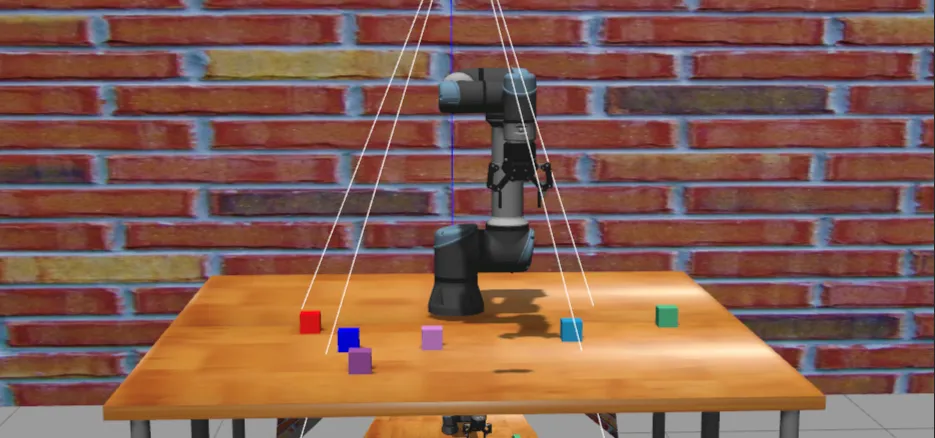
接下来详细解释ur5e_gripper_moveit.launch.py文件内容
第一步,先看generate_launch_description函数#
代码如下:
def generate_launch_description():
    """
    生成启动描述文件。

    该函数声明所有必要的启动参数,包括描述包、配置文件、关节限制等,
    然后通过OpaqueFunction调用launch_setup函数来配置和启动相关节点。

    返回:
    LaunchDescription: 包含所有声明参数和启动设置的启动描述对象
    """
    declared_arguments = []
    ## General arguments
    declared_arguments.append(
        DeclareLaunchArgument(
            "description_package",
            default_value="ur5e_gripper_moveit_config",
            description="Description package with robot URDF/XACRO files. Usually the argument \
        is not set, it enables use of a custom description.",
        )
    )
    declared_arguments.append(
        DeclareLaunchArgument(
            "description_file",
            default_value="ur5e_gripper.urdf.xacro",
            description="URDF/XACRO description file with the robot.",
        )
    )
    declared_arguments.append(
        DeclareLaunchArgument(
            "moveit_config_package",
            default_value="ur5e_gripper_moveit_config",
            description="MoveIt config package with robot SRDF/XACRO files. Usually the argument \
        is not set, it enables use of a custom moveit config.",
        )
    )
    declared_arguments.append(
        DeclareLaunchArgument(
            "moveit_config_file",
            default_value="ur5e_gripper.srdf.xacro",
            description="MoveIt SRDF/XACRO description file with the robot.",
        )
    )
    declared_arguments.append(
        DeclareLaunchArgument(
            "moveit_joint_limits_file",
            default_value="joint_limits.yaml",
            description="MoveIt joint limits that augment or override the values from the URDF robot_description.",
        )
    )
    declared_arguments.append(
        DeclareLaunchArgument(
            "use_sim_time",
            default_value="true",
            description="Make MoveIt to use simulation time. This is needed for the trajectory planing in simulation.",
        )
    )
    declared_arguments.append(
        DeclareLaunchArgument(
            "prefix",
            default_value='""',
            description="Prefix of the joint names, useful for \
        multi-robot setup. If changed than also joint names in the controllers' configuration \
        have to be updated.",
        )
    )
    declared_arguments.append(
        DeclareLaunchArgument("launch_rviz", default_value="true", description="Launch RViz?")
    )

return LaunchDescription(declared_arguments + [OpaqueFunction(function=launch_setup)])这里稍微介绍一下ur5e_gripper.srdf.xacro文件,ur5e_gripper.srdf.xacro 是一个SRDF (Semantic Robot Description Format) 文件,它是MoveIt运动规划框架中的一个重要配置文件。SRDF文件用于定义机器人的语义信息,这些信息扩展了基本的URDF(Unified Robot Description Format)模型。这个文件由Setup Assistant生成。 代码如下:
<?xml version="1.0" encoding="UTF-8"?>
<robot xmlns:xacro="http://wiki.ros.org/xacro" name="ur5e_gripper">

    <xacro:include filename="$(find ur_moveit_config)/srdf/ur_macro.srdf.xacro" />
    <xacro:ur_srdf name="ur" prefix="" />


    <xacro:include filename="$(find robotiq_moveit_config)/srdf/robotiq_macro.srdf.xacro" />
    <xacro:robotiq_srdf prefix="" />


    <group_state name="ready" group="ur_manipulator">
        <joint name="elbow_joint" value="1.5707" />
        <joint name="shoulder_lift_joint" value="-1.5707" />
        <joint name="shoulder_pan_joint" value="0" />
        <joint name="wrist_1_joint" value="-1.5707" />
        <joint name="wrist_2_joint" value="-1.5707" />
        <joint name="wrist_3_joint" value="0" />
    </group_state>


    <disable_collisions link1="robotiq_85_base_link" link2="wrist_1_link" reason="Never"/>
    <disable_collisions link1="robotiq_85_base_link" link2="wrist_2_link" reason="Never"/>
    <disable_collisions link1="robotiq_85_base_link" link2="wrist_3_link" reason="Adjacent"/>

</robot>
这个文件的主要作用包括:
-
定义机器人组(Groups):指定机器人的关节和链接如何组成不同的运动学组,例如机械臂组和夹爪组。
-
定义末端执行器(End Effectors):指定机器人末端执行器与哪个链接相连,以及使用哪个组作为其运动学组。
-
定义虚拟关节(Virtual Joints):定义机器人与世界坐标系的连接关系。
-
定义被动关节(Passive Joints):标记那些不受主动控制的关节。
-
定义机器人自碰撞(Self-Collision):指定哪些链接之间可能发生碰撞,哪些可以忽略。
总结 这段XML代码定义了一个UR5e机械臂与Robotiq夹爪的机器人系统配置:
- 声明使用xacro命名空间和UTF-8编码
- 包含UR5e和Robotiq的SRDF宏定义文件
- 定义名为”ready”的预设关节姿态
- 禁用特定连杆间的碰撞检测,避免运动规划时误判
第二步,看launch_setup函数#
代码如下:
def launch_setup(context, *args, **kwargs):
    """
    设置并启动MoveIt相关的节点。

    该函数配置机器人描述、运动规划参数、控制器参数等,并启动move_group节点。

    参数:
    context: 启动上下文对象
    *args: 可变位置参数
    **kwargs: 可变关键字参数

    返回:
    list: 需要启动的节点列表
    """

    ## General arguments
    description_package = LaunchConfiguration("description_package")
    description_file = LaunchConfiguration("description_file")
    moveit_config_package = LaunchConfiguration("moveit_config_package")
    moveit_joint_limits_file = LaunchConfiguration("moveit_joint_limits_file")
    moveit_config_file = LaunchConfiguration("moveit_config_file")
    prefix = LaunchConfiguration("prefix")
    use_sim_time = LaunchConfiguration("use_sim_time")
    ## launch_rviz = LaunchConfiguration("launch_rviz")


    ## 生成机器人的URDF描述内容,通过xacro工具处理URDF/XACRO文件
    robot_description_content = Command(
        [
            PathJoinSubstitution([FindExecutable(name="xacro")]),
            " ",
            PathJoinSubstitution([FindPackageShare(description_package), "urdf", description_file]),
        ]
    )
    robot_description = {"robot_description": robot_description_content}

    ## MoveIt Configuration
    ## 生成机器人的SRDF语义描述内容,通过xacro工具处理SRDF/XACRO文件
    robot_description_semantic_content = Command(
        [
            PathJoinSubstitution([FindExecutable(name="xacro")]),
            " ",
            PathJoinSubstitution(
                [FindPackageShare(moveit_config_package), "srdf", moveit_config_file]
            ),
        ]
    )
    robot_description_semantic = {"robot_description_semantic": robot_description_semantic_content}

    ## 获取运动学配置文件路径
    robot_description_kinematics = PathJoinSubstitution(
        [FindPackageShare(moveit_config_package), "config", "kinematics.yaml"]
    )

    ## 加载关节限制配置文件
    robot_description_planning = {
        "robot_description_planning": load_yaml(
            str(moveit_config_package.perform(context)),
            os.path.join("config", str(moveit_joint_limits_file.perform(context))),
        )
    }

    ## Planning Configuration
    ## 配置OMPL运动规划管道参数
    ompl_planning_pipeline_config = {
        "move_group": {
            "planning_plugin": "ompl_interface/OMPLPlanner",
            "request_adapters": """default_planner_request_adapters/AddTimeOptimalParameterization default_planner_request_adapters/FixWorkspaceBounds default_planner_request_adapters/FixStartStateBounds default_planner_request_adapters/FixStartStateCollision default_planner_request_adapters/FixStartStatePathConstraints""",
            "start_state_max_bounds_error": 0.1,
        }
    }
    ## 加载OMPL规划配置并更新到move_group配置中
    ompl_planning_yaml = load_yaml("ur5e_gripper_moveit_config", "config/ompl_planning.yaml")
    ompl_planning_pipeline_config["move_group"].update(ompl_planning_yaml)

    ## Trajectory Execution Configuration
    ## 加载控制器配置文件
    controllers_yaml = load_yaml("ur5e_gripper_moveit_config", "config/moveit_controllers.yaml")

    ## 配置MoveIt控制器管理器和轨迹执行参数
    moveit_controllers = {
        "moveit_simple_controller_manager": controllers_yaml,
        "moveit_controller_manager": "moveit_simple_controller_manager/MoveItSimpleControllerManager",
        "trajectory_execution" : {
            "allowed_execution_duration_scaling": 2.0,  ## change execution time scaling here
            "allowed_goal_duration_margin": 0.5,
            "allowed_start_tolerance": 0.01,
        }
    }

    ## 配置轨迹执行参数
    trajectory_execution = {
        "moveit_manage_controllers": False,
        "trajectory_execution.allowed_execution_duration_scaling": 1.2,
        "trajectory_execution.allowed_goal_duration_margin": 0.5,
        "trajectory_execution.allowed_start_tolerance": 0.01,
    }

    ## 配置规划场景监控参数
    planning_scene_monitor_parameters = {
        "publish_planning_scene": True,
        "publish_geometry_updates": True,
        "publish_state_updates": True,
        "publish_transforms_updates": True,
        "publish_robot_description":True,
        "publish_robot_description_semantic":True,
    }

    ## 配置OctoMap参数和传感器配置
    octomap_config = {'octomap_frame': 'camera_depth_optical_frame', 'octomap_resolution': 0.02}
    octomap_updater_config = load_yaml('ur5e_gripper_moveit_config', 'config/sensors_3d.yaml')
    ## Start the actual move_group node/action server
    ## 创建move_group节点,这是MoveIt的主要节点
    move_group_node = Node(
        package="moveit_ros_move_group",
        executable="move_group",
        output="screen",
        parameters=[
            robot_description,
            robot_description_semantic,
            robot_description_kinematics,
            robot_description_planning,
            ompl_planning_pipeline_config,
            trajectory_execution,
            moveit_controllers,
            planning_scene_monitor_parameters,
            {"use_sim_time": use_sim_time},
            octomap_config,
            octomap_updater_config,
        ],
    )


    nodes_to_start = [
        move_group_node,
        ## rviz_node,
    ]

return nodes_to_startURDF文件和SRDF文件 关于URDF文件和SRDF文件的关系可以参考博客 ↗
这里简单总结两者之间的关系:
- 依赖关系:SRDF文件依赖于URDF文件,它是在URDF基础上添加语义信息的扩展。
- 功能互补:URDF描述机器人的物理结构,SRDF描述机器人的运动学和规划相关语义信息。
- 协同工作:在MoveIt中,URDF和SRDF通常一起使用,URDF提供基本的机器人描述,SRDF提供运动规划所需的高级语义信息。
kinematics.yaml文件
kinematics.yaml文件是MoveIt运动规划框架中一个非常重要的配置文件,用于配置机器人的运动学求解器。它定义了机器人各运动学组如何进行正向和逆向运动学计算。
joint_limits.yaml文件
顾名思义:关节活动限制文件
运动规划配置
ompl_planning_pipeline_config = {
        "move_group": {
            "planning_plugin": "ompl_interface/OMPLPlanner",
            "request_adapters": """default_planner_request_adapters/AddTimeOptimalParameterization default_planner_request_adapters/FixWorkspaceBounds default_planner_request_adapters/FixStartStateBounds default_planner_request_adapters/FixStartStateCollision default_planner_request_adapters/FixStartStatePathConstraints""",
            "start_state_max_bounds_error": 0.1,
        }
}这段代码是ROS 2 MoveIt配置中的重要部分,用于设置OMPL(Open Motion Planning Library)运动规划管道。OMPL是MoveIt中使用的默认运动规划库,提供了多种规划算法。
这部分创建了一个基本的OMPL规划管道配置:
- planning_plugin: 指定使用OMPL作为规划器
- request_adapters: 定义规划请求处理适配器列表,这些适配器在规划前对请求进行预处理:
- AddTimeOptimalParameterization: 添加时间最优参数化
- FixWorkspaceBounds: 修复工作空间边界
- FixStartStateBounds: 修复起始状态边界
- FixStartStateCollision: 修复起始状态碰撞
- FixStartStatePathConstraints: 修复起始状态路径约束
- start_state_max_bounds_error: 设置起始状态最大边界误差为0.1
    ## 加载OMPL规划配置并更新到move_group配置中
    ompl_planning_yaml = load_yaml("ur5e_gripper_moveit_config", "config/ompl_planning.yaml")
ompl_planning_pipeline_config["move_group"].update(ompl_planning_yaml)这部分代码加载了额外的OMPL规划配置文件,并将其合并到基本配置中:
- 使用load_yaml函数加载ompl_planning.yaml文件中的配置
- 通过update方法将加载的配置合并到现有配置中 从我们查看的ompl_planning.yaml文件中可以看到,它定义了:
planner_configs:
  SBLkConfigDefault:
    type: geometric::SBL
    range: 0.0  ## Max motion added to tree. ==> maxDistance_ default: 0.0, if 0.0, set on setup()
  ESTkConfigDefault:
    type: geometric::EST
    range: 0.0  ## Max motion added to tree. ==> maxDistance_ default: 0.0, if 0.0 setup()
    goal_bias: 0.05  ## When close to goal select goal, with this probability. default: 0.05
  LBKPIECEkConfigDefault:
    type: geometric::LBKPIECE
    range: 0.0  ## Max motion added to tree. ==> maxDistance_ default: 0.0, if 0.0, set on setup()
    border_fraction: 0.9  ## Fraction of time focused on boarder default: 0.9
    min_valid_path_fraction: 0.5  ## Accept partially valid moves above fraction. default: 0.5
  BKPIECEkConfigDefault:
    type: geometric::BKPIECE
    range: 0.0  ## Max motion added to tree. ==> maxDistance_ default: 0.0, if 0.0, set on setup()
    border_fraction: 0.9  ## Fraction of time focused on boarder default: 0.9
    failed_expansion_score_factor: 0.5  ## When extending motion fails, scale score by factor. default: 0.5
    min_valid_path_fraction: 0.5  ## Accept partially valid moves above fraction. default: 0.5
  KPIECEkConfigDefault:
    type: geometric::KPIECE
    range: 0.0  ## Max motion added to tree. ==> maxDistance_ default: 0.0, if 0.0, set on setup()
    goal_bias: 0.05  ## When close to goal select goal, with this probability. default: 0.05
    border_fraction: 0.9  ## Fraction of time focused on boarder default: 0.9 (0.0,1.]
    failed_expansion_score_factor: 0.5  ## When extending motion fails, scale score by factor. default: 0.5
    min_valid_path_fraction: 0.5  ## Accept partially valid moves above fraction. default: 0.5
  RRTkConfigDefault:
    type: geometric::RRT
    range: 0.0  ## Max motion added to tree. ==> maxDistance_ default: 0.0, if 0.0, set on setup()
    goal_bias: 0.05  ## When close to goal select goal, with this probability? default: 0.05
  RRTConnectkConfigDefault:
    type: geometric::RRTConnect
    range: 0.2  ## Max motion added to tree. ==> maxDistance_ default: 0.0, if 0.0, set on setup()
  RRTstarkConfigDefault:
    type: geometric::RRTstar
    range: 0.0  ## Max motion added to tree. ==> maxDistance_ default: 0.0, if 0.0, set on setup()
    goal_bias: 0.05  ## When close to goal select goal, with this probability? default: 0.05
    delay_collision_checking: 1  ## Stop collision checking as soon as C-free parent found. default 1
  TRRTkConfigDefault:
    type: geometric::TRRT
    range: 0.0  ## Max motion added to tree. ==> maxDistance_ default: 0.0, if 0.0, set on setup()
    goal_bias: 0.05  ## When close to goal select goal, with this probability? default: 0.05
    max_states_failed: 10  ## when to start increasing temp. default: 10
    temp_change_factor: 2.0  ## how much to increase or decrease temp. default: 2.0
    min_temperature: 10e-10  ## lower limit of temp change. default: 10e-10
    init_temperature: 10e-6  ## initial temperature. default: 10e-6
    frountier_threshold: 0.0  ## dist new state to nearest neighbor to disqualify as frontier. default: 0.0 set in setup()
    frountierNodeRatio: 0.1  ## 1/10, or 1 nonfrontier for every 10 frontier. default: 0.1
    k_constant: 0.0  ## value used to normalize expression. default: 0.0 set in setup()
  PRMkConfigDefault:
    type: geometric::PRM
    max_nearest_neighbors: 10  ## use k nearest neighbors. default: 10
  PRMstarkConfigDefault:
    type: geometric::PRMstar
  longest_valid_segment_fraction: 0.005

ur_manipulator:
  default_planner_config: RRTstarkConfigDefault
  planning_attempts: 10      ## 尝试多次
  planning_time: 3.0         ## 规划超时时间拉长一点
  planner_configs:
    - SBLkConfigDefault
    - ESTkConfigDefault
    - LBKPIECEkConfigDefault
    - BKPIECEkConfigDefault
    - KPIECEkConfigDefault
    - RRTkConfigDefault
    - RRTConnectkConfigDefault
    - RRTstarkConfigDefault
    - TRRTkConfigDefault
    - PRMkConfigDefault
    - PRMstarkConfigDefault
- 多种规划算法的配置(如RRT、RRT*、PRM等)
- 为ur_manipulator组指定了默认规划器为RRT*
- 设置了规划尝试次数、规划时间等参数
控制器配置
## 加载控制器配置文件
controllers_yaml = load_yaml("ur5e_gripper_moveit_config", "config/moveit_controllers.yaml")这部分代码加载了外部的控制器配置文件moveit_controllers.yaml。通过读取该文件,我们可以看到其中定义了两种控制器:
## MoveIt uses this configuration for controller management
## controller_names here should be the same as those in ros2 control

controller_names:
  - ur5e_arm_controller
  - gripper_controller

ur5e_arm_controller:
  type: FollowJointTrajectory
  action_ns: follow_joint_trajectory
  default: true
  joints:
    - shoulder_pan_joint
    - shoulder_lift_joint
    - elbow_joint
    - wrist_1_joint
    - wrist_2_joint
    - wrist_3_joint
  action_ns: follow_joint_trajectory
  default: true
gripper_controller:
  type: GripperCommand
  joints:
    - robotiq_85_left_knuckle_joint
  action_ns: gripper_cmd
default: true- ur5e_arm_controller:机械臂控制器,类型为FollowJointTrajectory,用于控制机械臂的关节轨迹
- gripper_controller:夹爪控制器,类型为GripperCommand,用于控制夹爪的开合
## 配置MoveIt控制器管理器和轨迹执行参数
    moveit_controllers = {
        "moveit_simple_controller_manager": controllers_yaml,
        "moveit_controller_manager": "moveit_simple_controller_manager/MoveItSimpleControllerManager",
        "trajectory_execution" : {
            "allowed_execution_duration_scaling": 2.0,  ## change execution time scaling here
            "allowed_goal_duration_margin": 0.5,
            "allowed_start_tolerance": 0.01,
        }
}这部分配置了MoveIt的控制器管理器和轨迹执行参数:
- moveit_simple_controller_manager:使用之前加载的控制器配置
- moveit_controller_manager:指定使用MoveItSimpleControllerManager作为控制器管理器
- trajectory_execution:轨迹执行相关参数设置
- allowed_execution_duration_scaling: 允许的执行时间缩放比例为2.0,意味着允许轨迹执行的时间比计划的时间长100%
- allowed_goal_duration_margin: 允许的目标时间余量为0.5秒
- allowed_start_tolerance: 允许的起始状态误差为0.01
## 配置MoveIt控制器管理器和轨迹执行参数
    moveit_controllers = {
        "moveit_simple_controller_manager": controllers_yaml,
        "moveit_controller_manager": "moveit_simple_controller_manager/MoveItSimpleControllerManager",
        "trajectory_execution" : {
            "allowed_execution_duration_scaling": 2.0,  ## change execution time scaling here
            "allowed_goal_duration_margin": 0.5,
            "allowed_start_tolerance": 0.01,
        }
}这部分是额外的轨迹执行参数配置:
- moveit_manage_controllers: 设置为False,表示不使用MoveIt管理控制器的生命周期
- 其他参数与上面的配置类似,但执行时间缩放比例为1.2(比上面的配置宽松一些)
总结:些配置最终会被传递给MoveIt的move_group节点,用于控制机器人执行规划好的轨迹。配置中的参数对于确保轨迹执行的安全性和成功率非常重要,比如允许一定的时间余量可以防止因为执行稍慢而导致轨迹执行失败。
配置规划场景监控参数
## 配置规划场景监控参数
    planning_scene_monitor_parameters = {
        "publish_planning_scene": True,
        "publish_geometry_updates": True,
        "publish_state_updates": True,
        "publish_transforms_updates": True,
        "publish_robot_description":True,
        "publish_robot_description_semantic":True,
}各项参数的含义如下:
-
“publish_planning_scene”: True - 启用规划场景的发布功能。规划场景包含了机器人、障碍物、工作空间等所有与运动规划相关的信息。
-
“publish_geometry_updates”: True - 启用几何更新的发布。当环境中的物体几何形状发生变化时,会发布这些更新。
-
“publish_state_updates”: True - 启用状态更新的发布。当机器人或环境的状态发生变化时(如关节角度变化),会发布这些更新。
-
“publish_transforms_updates”: True - 启用坐标变换更新的发布。当坐标变换关系发生变化时,会发布这些更新。
-
“publish_robot_description”: True - 发布机器人的描述信息(URDF)。
-
“publish_robot_description_semantic”: True - 发布机器人的语义描述信息(SRDF)。
这些参数会被传递给MoveIt的move_group节点,用于控制规划场景监控器的行为。规划场景监控器负责维护和更新机器人工作环境的表示,包括机器人的当前状态、环境中的障碍物、以及机器人各部分之间的碰撞关系等。通过启用这些发布选项,系统中的其他组件可以实时获取到最新的环境和机器人状态信息,这对于安全、准确的运动规划至关重要。
配置OctoMap(八叉树地图)和3D传感器
## 配置OctoMap参数和传感器配置
    octomap_config = {'octomap_frame': 'camera_depth_optical_frame', 'octomap_resolution': 0.02}
octomap_updater_config = load_yaml('ur5e_gripper_moveit_config', 'config/sensors_3d.yaml') 第一行定义了OctoMap的基本配置参数:
- octomap_frame: 设置了OctoMap的参考坐标系为’camera_depth_optical_frame’,这是深度相机的光学坐标系
- octomap_resolution: 设置了OctoMap的分辨率为0.02米,即2厘米,这决定了地图的精细程度
第二行通过load_yaml函数加载了sensors_3d.yaml配置文件,该文件内容如下:
sensors:
  - point_cloud_camera

point_cloud_camera:
    sensor_plugin: occupancy_map_monitor/PointCloudOctomapUpdater
    point_cloud_topic: /depth/points_filtered
    max_range: 5.0
    point_subsample: 1
    padding_offset: 0.05
    padding_scale: 1.0
    max_update_rate: 1.0
    filtered_cloud_topic: filtered_cloud
这个配置文件定义了3D传感器的相关参数:
- sensors: 定义了使用的传感器列表,这里只有一个名为point_cloud_camera的点云相机
- point_cloud_camera部分详细配置了点云相机的参数:
- sensor_plugin: 使用occupancy_map_monitor/PointCloudOctomapUpdater作为传感器插件,用于将点云数据更新到占用地图
- point_cloud_topic: 指定接收点云数据的话题为/depth/points_filtered
- max_range: 设置点云数据的最大处理距离为5.0米
- point_subsample: 点云采样因子为1,即不进行采样
- padding_offset和padding_scale: 碰撞检测的填充参数,用于在规划时增加安全距离
- max_update_rate: 最大更新频率为1.0Hz
- filtered_cloud_topic: 指定发布过滤后点云的话题为filtered_cloud
这些配置参数最终会被传递给MoveIt的move_group节点,用于启用和配置3D感知功能。通过这些配置,MoveIt可以实时接收点云数据,构建环境的3D占用地图(OctoMap),并在运动规划时考虑环境中的障碍物,从而实现更安全、更智能的路径规划。
创建move_group节点
move_group_node = Node(
        package="moveit_ros_move_group",
        executable="move_group",
        output="screen",
        parameters=[
            robot_description,
            robot_description_semantic,
            robot_description_kinematics,
            robot_description_planning,
            ompl_planning_pipeline_config,
            trajectory_execution,
            moveit_controllers,
            planning_scene_monitor_parameters,
            {"use_sim_time": use_sim_time},
            octomap_config,
            octomap_updater_config,
        ],
)这个代码块创建了一个ROS 2节点,该节点是MoveIt运动规划框架的核心组件。具体解释如下:
-
Node定义:
- package=“moveit_ros_move_group”: 指定节点所属的ROS包为moveit_ros_move_group
- executable=“move_group”: 指定要运行的可执行文件为move_group,这是MoveIt的主要入口点
- output=“screen”: 将节点输出打印到终端屏幕
-
parameters参数列表包含了MoveIt系统运行所需的所有配置信息:
- robot_description:机器人的URDF描述,包含机器人的物理结构信息
- robot_description_semantic:机器人的SRDF语义描述,包含规划组、末端执行器等语义信息
- robot_description_kinematics:运动学求解器配置,指定使用哪种IK算法
- robot_description_planning:机器人规划相关参数,如关节限制等
- ompl_planning_pipeline_config:OMPL运动规划管道配置,包括规划算法和适配器设置
- trajectory_execution:轨迹执行参数,控制轨迹执行的时间和容错设置
- moveit_controllers:控制器管理配置,指定如何与底层控制器通信
- planning_scene_monitor_parameters:规划场景监控参数,控制场景信息的发布和更新
- {“use_sim_time”: use_sim_time}:是否使用仿真时间
- octomap_config:OctoMap配置,用于3D环境感知
- octomap_updater_config:OctoMap更新器配置,指定如何从传感器数据更新地图
总结 这个move_group节点是MoveIt系统的核心,它整合了所有的配置信息,提供了以下关键功能:
- 运动规划:基于OMPL规划器提供路径规划功能
- 运动学计算:提供正向和逆向运动学求解
- 碰撞检测:实时检测机器人与环境的碰撞
- 轨迹执行:控制机器人按照规划的轨迹执行动作
- 3D感知:通过OctoMap处理传感器数据,构建环境地图
- 场景管理:维护和更新规划场景信息
通过将所有这些配置参数传递给move_group节点,系统能够完整地运行MoveIt的所有功能,实现复杂的机器人运动规划和控制任务。